



One screen. Every client. Zero tab switching.
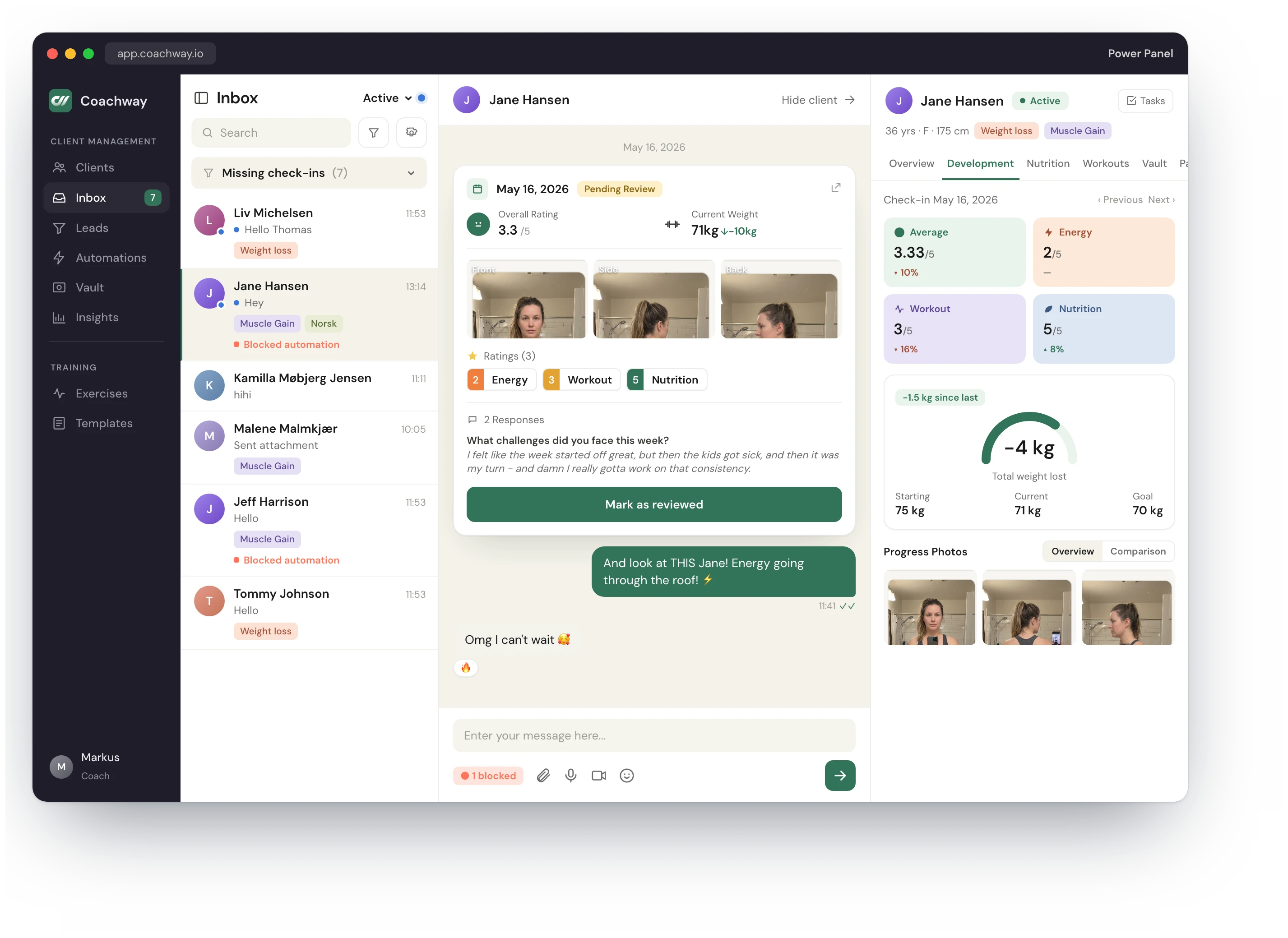
The unified inbox where every coach who scales past 30 clients spends most of their day. Client list, conversation thread, and live context - all in one view. No popups. No 5 tabs. Just the next thing your client needs.
In short
The Power Panel is coachway's unified inbox: every client check-in, message and flag lands in one prioritized queue instead of scattered across chat threads and tabs. Coaches open one screen, see who needs attention first, and clear a full client list's daily communication in one sitting with each client's data alongside.


Every client visible. Always.
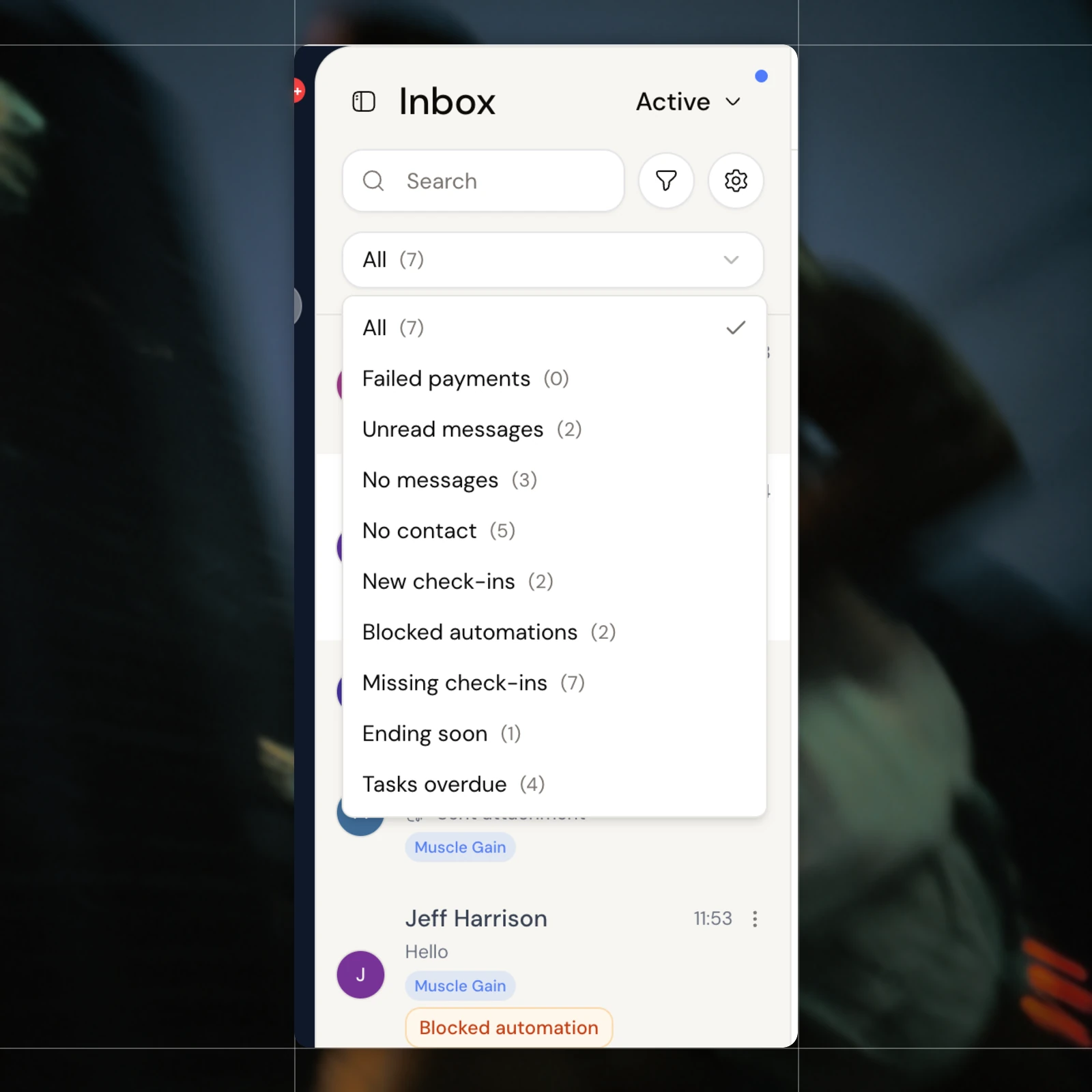
No more switching between WhatsApp threads, Stripe dashboards, and Google Sheets to know how a client is doing. The left column lists every client in your client list - online status, last activity, unread count, and the goal they signed up for. Filter to exactly who needs you - missing check-ins, unread messages, blocked automations, no contact, ending soon - or jump between Active, Pending, Paused and Ended. The first thing you see when you open Coachway is the full picture: who needs you today, who's crushing it, who's gone quiet.
Keep reading
- best client management software for personal trainers
The platforms coaches actually use, compared side by side on the jobs that matter.

Inline check-ins. The conversation has context built in.
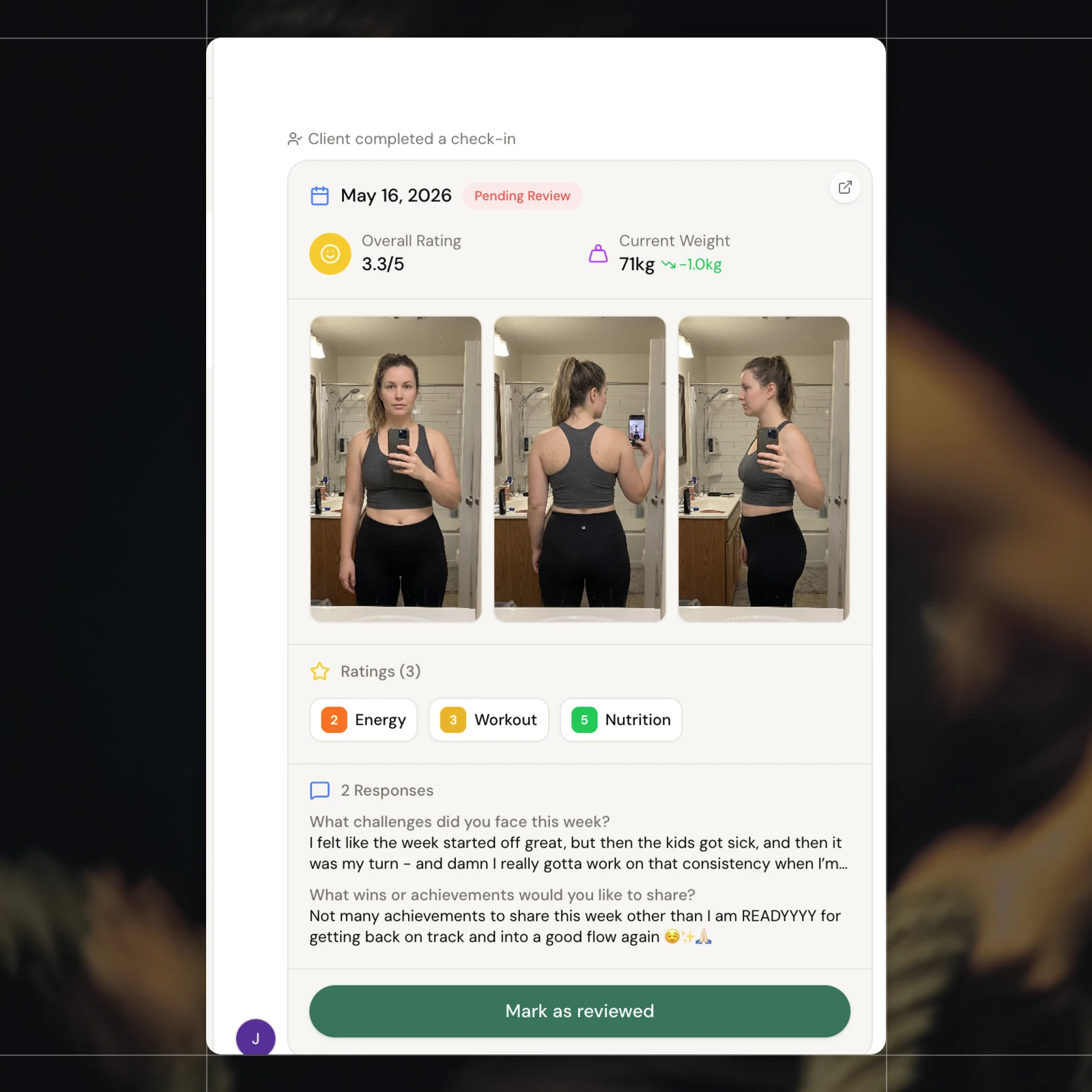
The middle column is the conversation, but it's not a flat chat window. When your client submits their weekly check-in, it appears inline as a glass sub-card with energy, nutrition, and workout ratings, written reflection, weight delta, and progress photos. You read it in context, reply in the same thread, and your reply lands in their notification feed. The numbers are right there, in the conversation, where the coaching happens.
The workspace
Every client on one screen
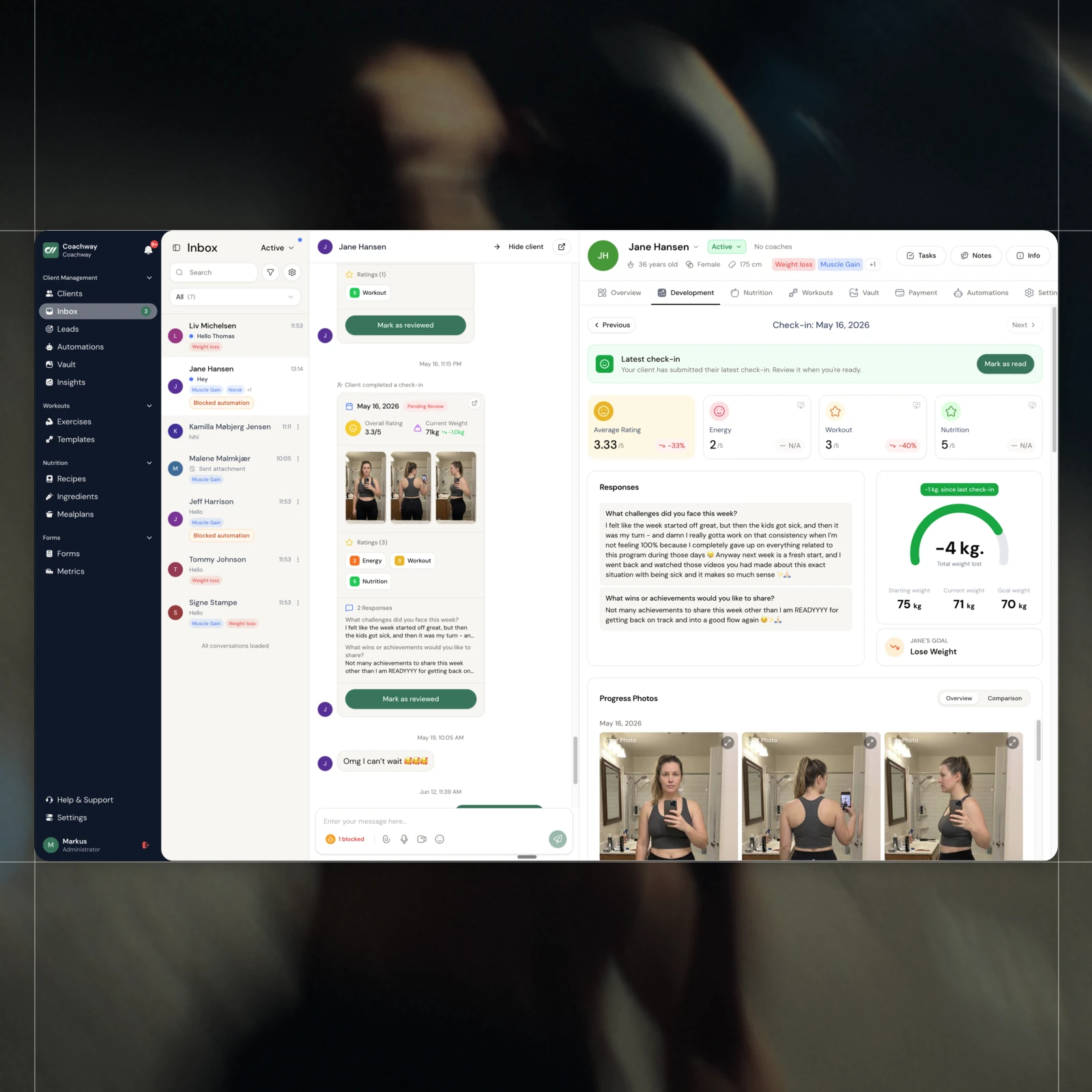
The full client list on the left, the live conversation in the middle, the client's whole file on the right. Online status, unread count, last activity and the goal they signed up for - all in one view, without opening a single new tab.
Inline check-ins
The weekly check-in, unpacked in one card
Overall rating, energy, workout and nutrition each scored out of five, the written reflection, the weight change, and progress photos - all in a single card right in the thread that you mark reviewed in one tap. No spreadsheet, no scrolling.
Client context
Their whole file, one panel to the right
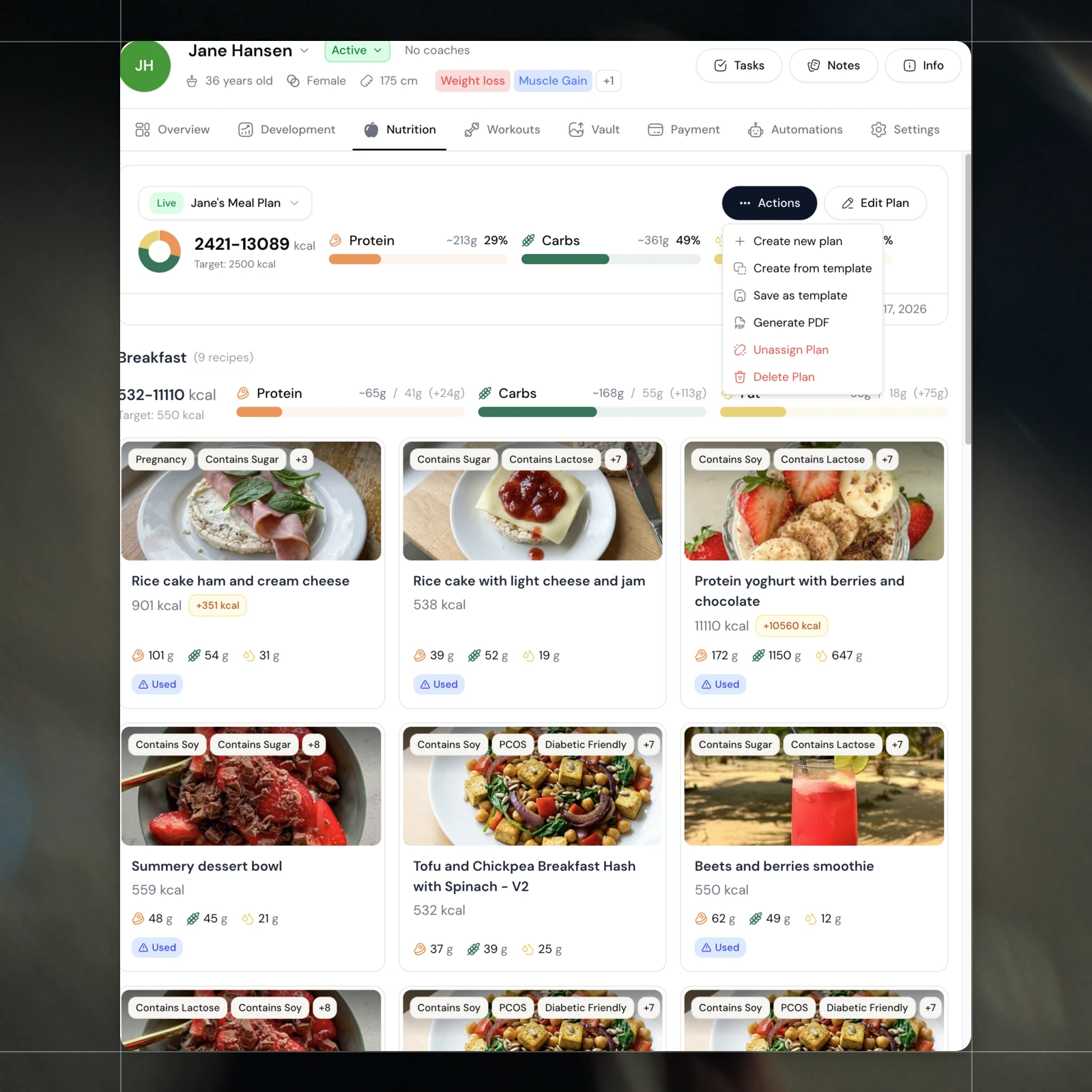
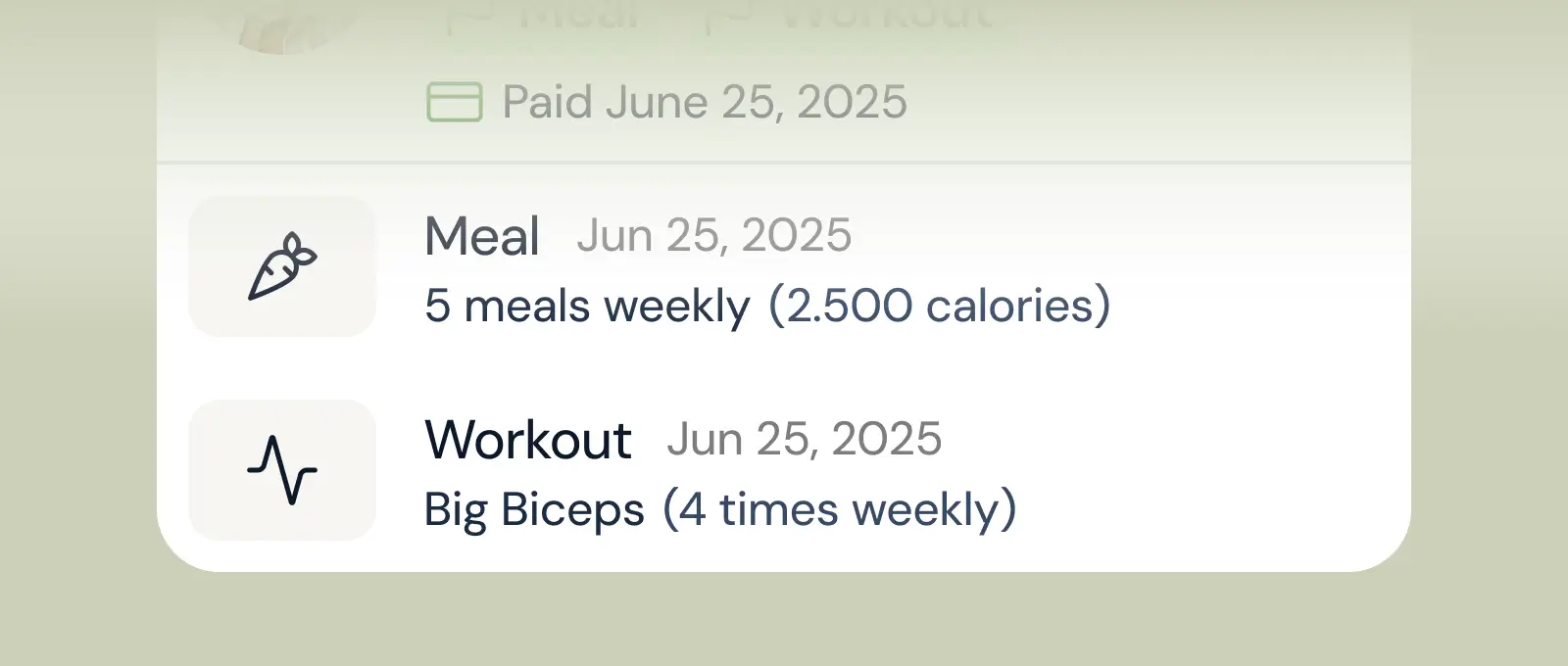
Flip the right panel between Overview, Development, Nutrition, Workouts, Vault and Payments. Here it's the full meal plan with macros - their training, check-ins and billing are one tab away, without ever leaving the chat.
A real chat
Talk to clients, don't type at them
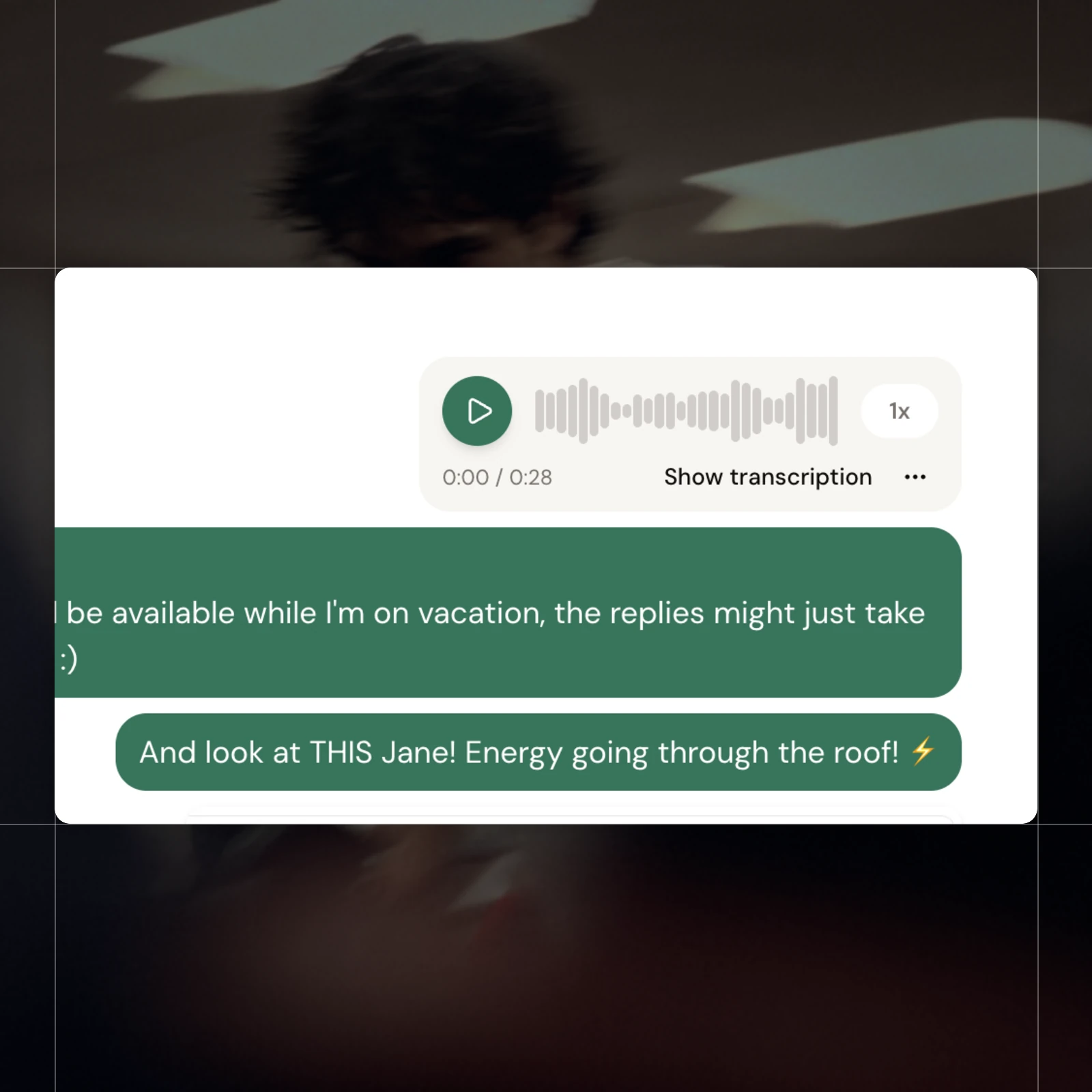
Send a 30-second voice note with one-tap transcription instead of typing five paragraphs - played back at your own speed. It's a real chat that feels like the apps your clients already use every day.
Built to scale
Built for 30, 60, or 100+ clients
Filter your whole client list by what actually matters - missing check-ins, unread messages, no contact, failed payments, ending soon, tasks overdue. Active, pending, paused and ended are one click apart, so nothing slips no matter how many clients you carry.
All features
See all features One screen. Every panel. Zero tab switching.
The flagship move: while your client's chat stays anchored in the middle, the right side flows between Overview, Development, Nutrition, Workouts, Vault, Payments and Automations as fast as you can think. Open a meal plan. Edit it. Slide back. The chat is still where you left it, scrolled to where you left it. Built panel-by-panel from day one, so the workflow bends to you instead of the other way around.

A chat that finally feels like the apps your clients already use.
React to a message. Reply to a specific one. Edit a typo without notifying anyone. Send a 30-second voice note instead of typing five paragraphs. See exactly when your client read your reply, and decide for yourself when their incoming message clears 'unread'. The polish a coaching chat should have had from day one, baked in from the first message.
Keep exploring
Explore more features
Client progress
Track workouts, milestones, and personal bests with clear dashboards that show improvement over time.

Meal planner
Create tailored nutrition plans that align with client goals, complete with smart suggestions and easy adjustments.
Check-ins & forms
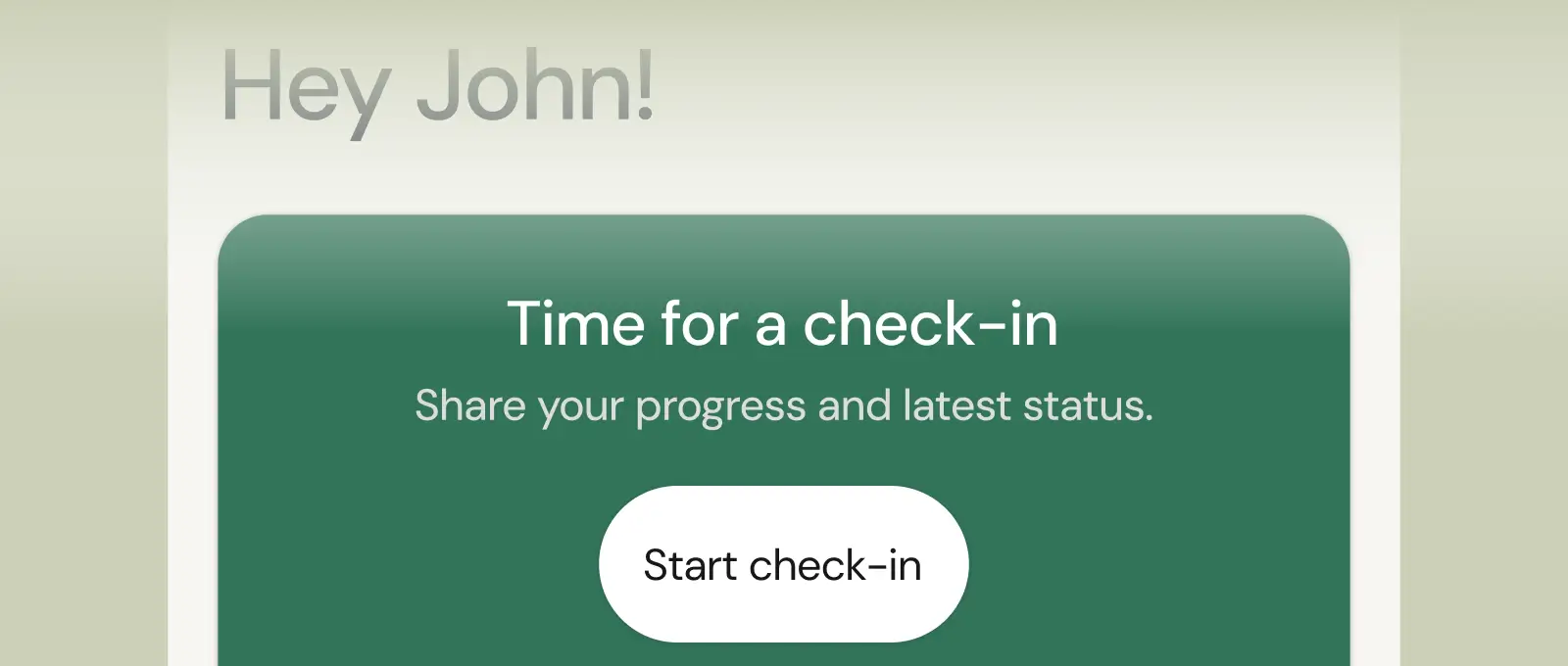
Collect feedback, assess readiness, and stay connected with customizable forms and quick check-ins.
Keep reading
All guidesHow to do client check-ins as an online coach
The 5-step check-in workflow used by coaches running 100+ clients. Forms, frequency, and the unified-inbox setup that drops review time from 15 minutes per client to 2 to 3.
Read the guideOnline coaching without spreadsheets: the workflow for 30 to 100 client coaches
The 6 sheets every solo coach ends up with, what each one gets replaced with on a real platform, and the 5-day plan to make the swap.
Read the guideHow to scale an online coaching business (from 20 to 100+ clients)
The 6-step framework used by coaches who grew past the 30 to 50 plateau without doubling their hours. Niche, pricing, systems, platform, hire, retention.
Read the guideSee real coach results
How real coaches run their coaching on Coachway, with the numbers to back it up.
View the case studiesSee Coachway pricing
Plans, what is included, and where the Power Panel fits - all on one page.
View the plansQuestions, answered
What exactly shows up in the Power Panel?
Everything waiting on you: new check-in submissions, unread client messages and clients who need attention. It is ordered by priority, so the client who just reported a bad week surfaces above routine confirmations - triage is done for you.
How is this different from just using WhatsApp with clients?
WhatsApp shows messages; the Power Panel shows context. When you open a check-in, that client's photos, weight trend and training data sit beside the reply box - so answers are informed, faster to write, and nothing gets lost in a chat scroll.
Does the Power Panel work with a team or assistant coach?
Yes - coachway supports team roles, so an assistant coach can work the same queue with their own login. Clients can be divided across coaches while the business owner keeps full visibility of every conversation and check-in.
See what Coachway can do for your coaching business
Coachway was built on knowledge from working with 150 online coaches over 6+ years, who all hit the same wall - slow platforms, clunky workflows, wasted hours. Start your 14-day free trial and see what we fixed - the whole platform, no charge today, cancel anytime under Billing.


Still reading? Start your own Coachway in minutes. Start in minutes.
Explore Coachway