



Meal Planner
Meal planning used to take an hour per client. Now it takes 5 minutes. Build plans from 1,100+ recipes, adjust with a few clicks, and save as reusable templates.
In short
A meal planner for coaches builds client nutrition plans from a structured food database instead of static PDFs. coachway's meal planner draws on 3,900+ ingredients and 1,100+ recipes, calculates macros as the plan is built, and delivers the result inside the client app where they log against it daily.
See the meal planner in 30 seconds
From building a custom plan to swapping recipes and adjusting macros - watch how the entire workflow comes together in one quick walkthrough. If you're still weighing your options, our guide to meal planning software for personal trainers walks through what to look for. Comparing tools? Read what to look for in nutrition coaching software.
Custom & personalized meal plans, but scalable
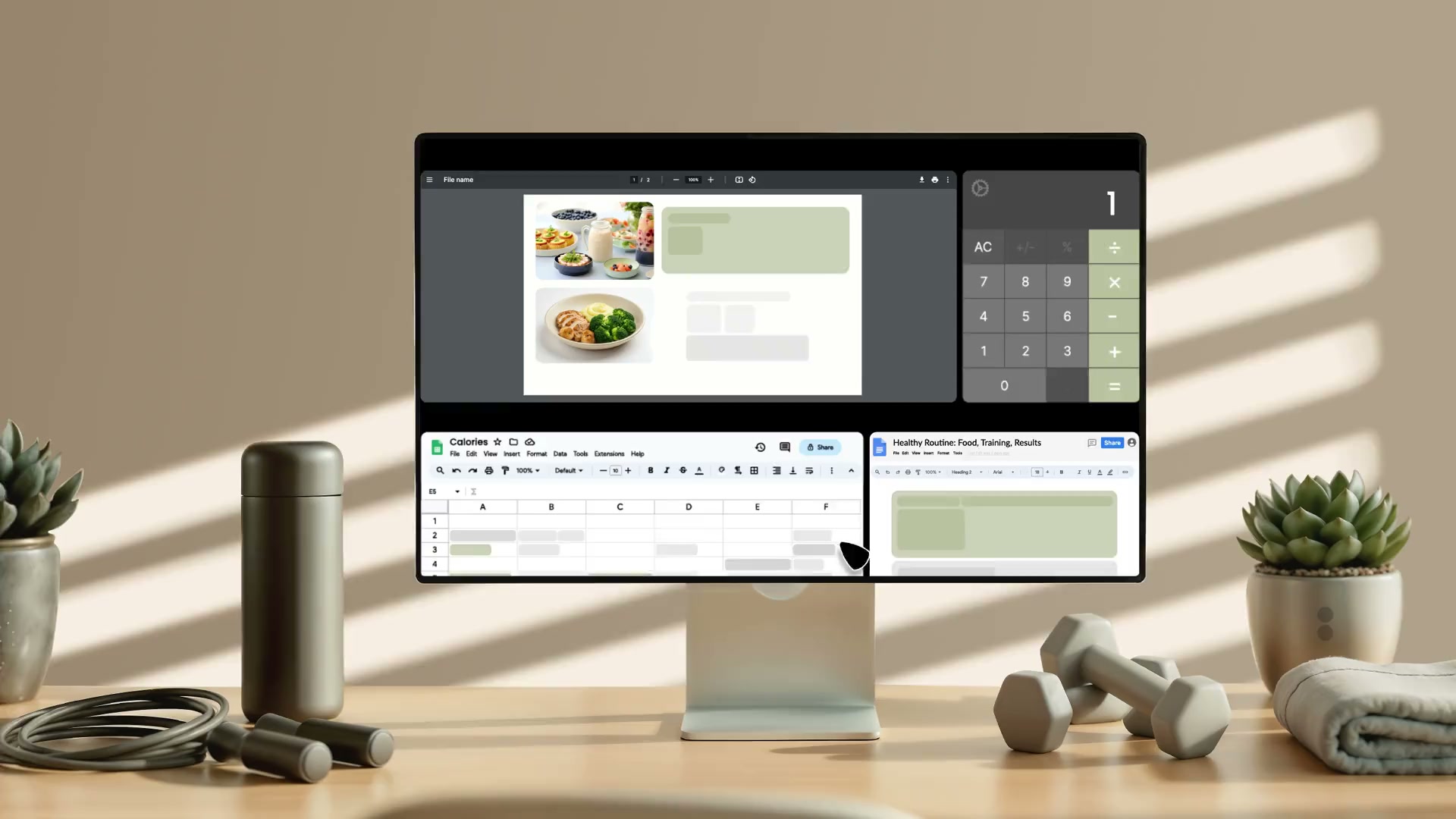
Create personalized meal plans in minutes, not hours. Set calories, meals per day, and calorie distribution. Tweak ingredients if needed. Done.
Create meal plans from scratch, and make them adjustable
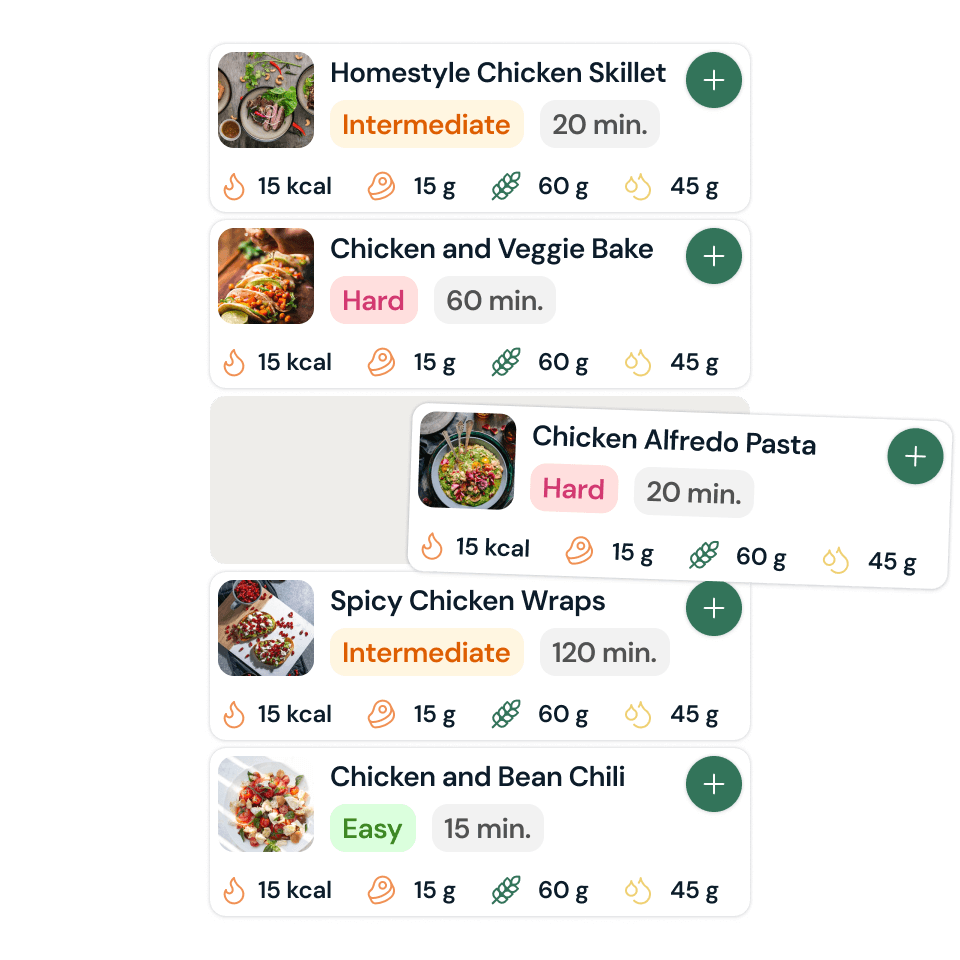
Access 1,100+ ready-to-use recipes, or create your own from scratch. Upload photos, tag by preference (vegan, gluten-free, PCOS-friendly), and filter by allergies - all in one place.
Meal Plan Setup
Full control from the first click
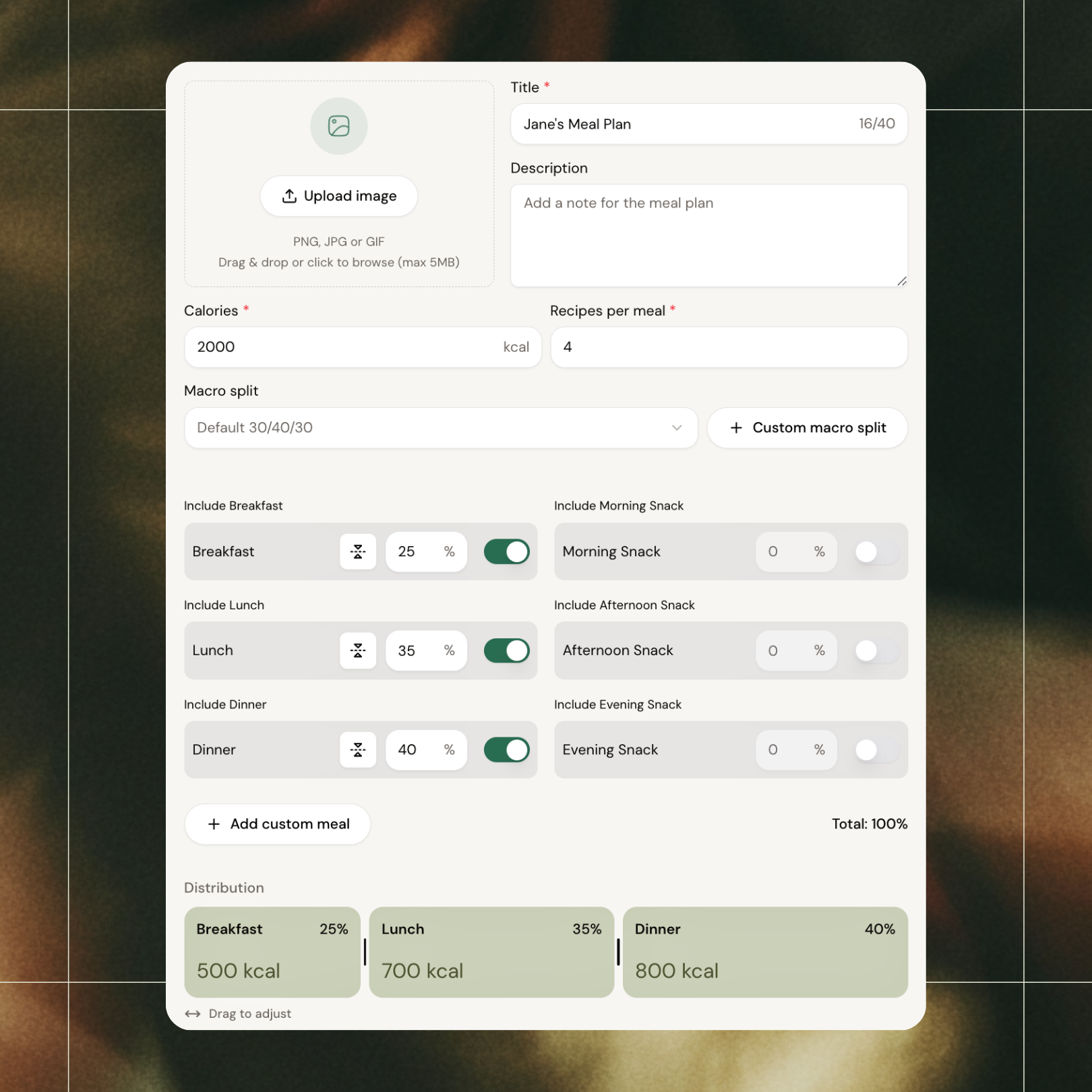
Set calories and macro split, choose meals per day, and distribute calories across meals. Adjust the slider to shift more toward breakfast or dinner. Save the structure and add recipes later - or start filling it in right away.
Drag, Drop, Done
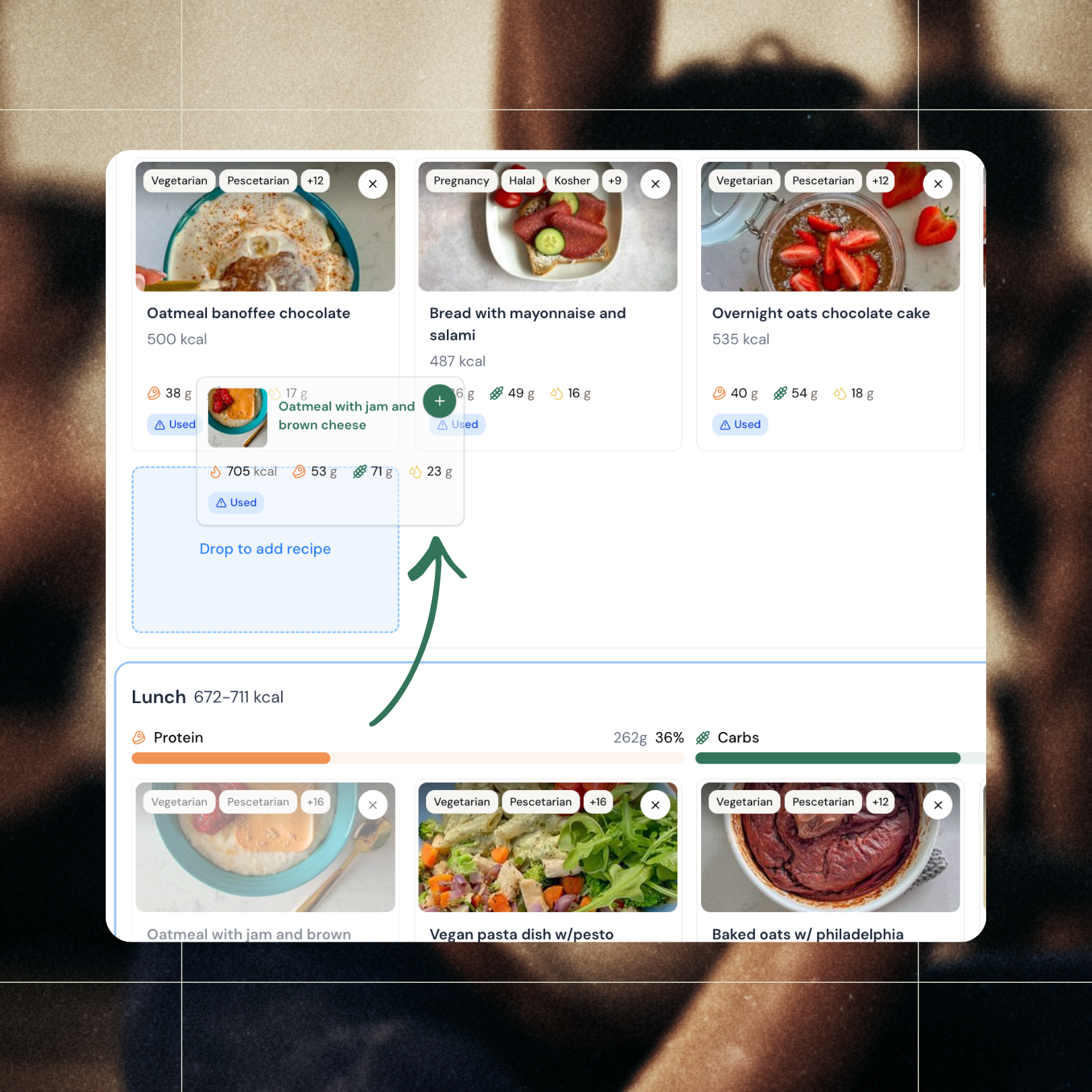
Drag recipes in. Move them around. Done.
Drag recipes from our 1,100+ library straight into any meal. Move them from lunch to breakfast with one drag. Scale the ingredients to fit - or keep them exactly as they are. Flex calories up or down without your platform telling you no. A workflow that finally feels smooth, not frustrating.
Real-Time Overview
See everything. Adjust anything. One view.
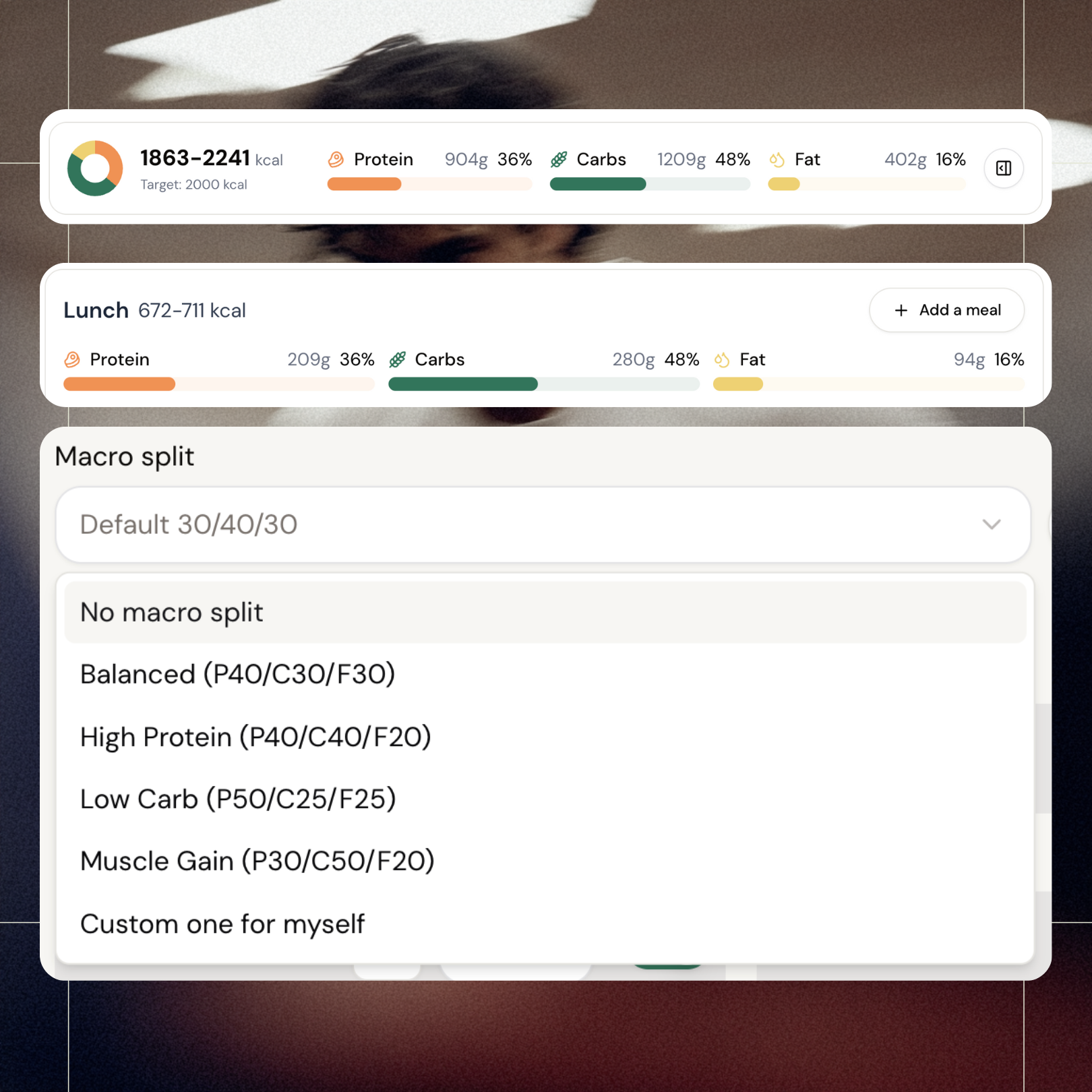
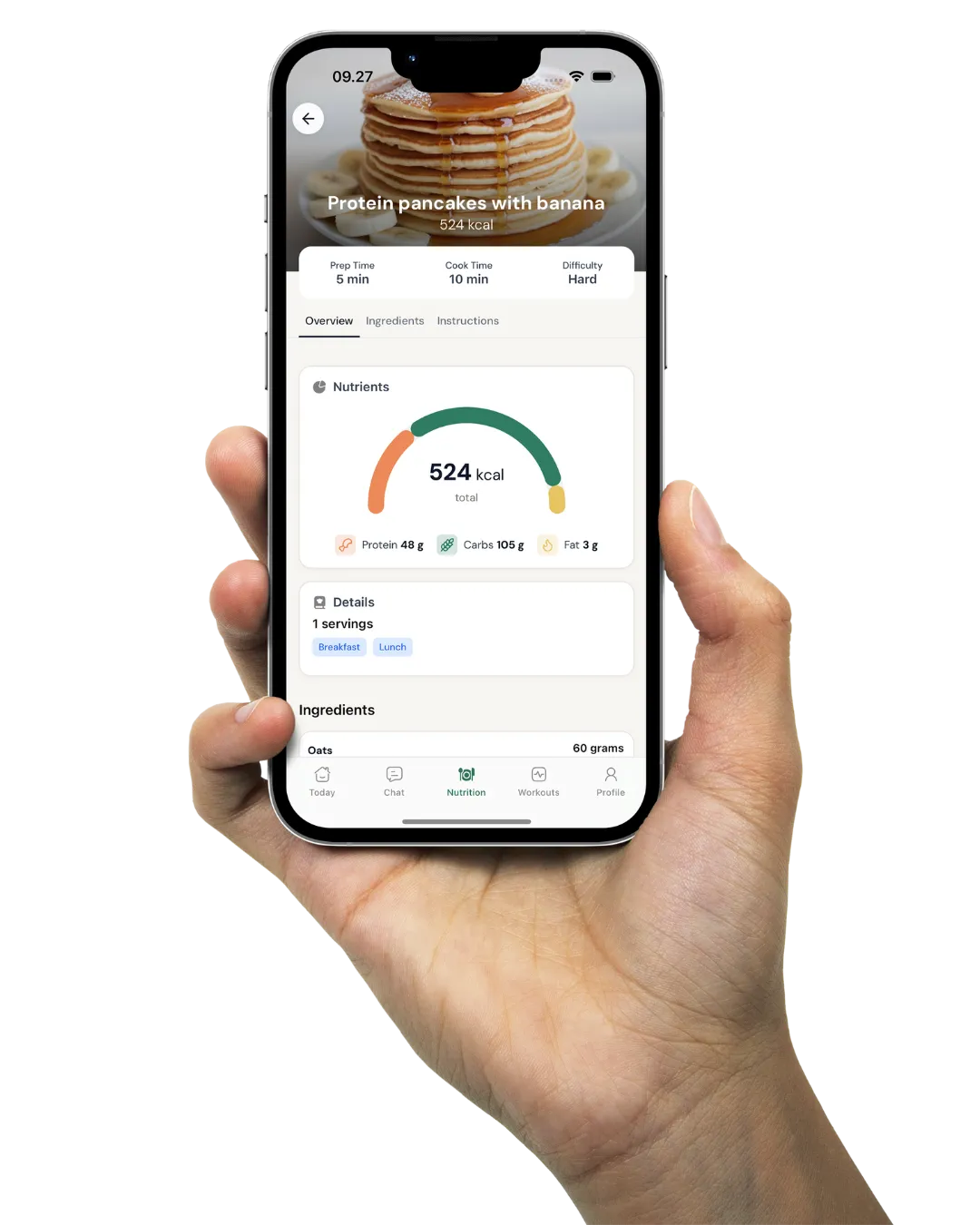
See total calories and macro breakdown for every meal - and the whole plan - at a glance. Change your macro split from presets or create your own, and watch our algorithm scale your recipes to match. Edit ingredients directly if you want even more control. And if your client has a sensitive relationship with food? Hide the numbers from their view entirely.
Deep Customization
Fine-tune without losing your flow
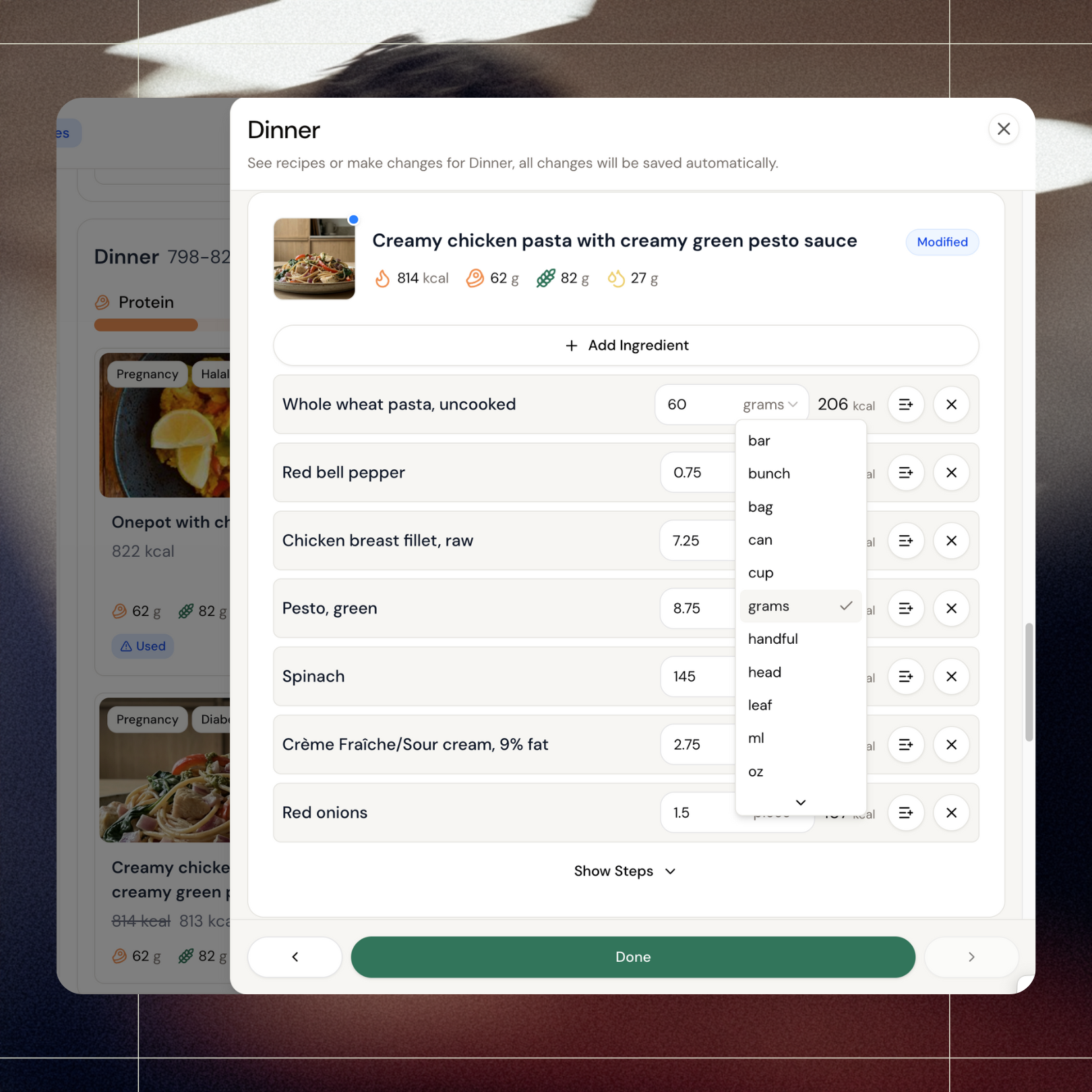
No more open-close-open-close just to tweak one ingredient. Change units on any ingredient - grams, cups, handfuls, whatever fits your client. Edit directly from the meal plan builder, scroll through breakfast to dinner without interruption, and fine-tune everything in one smooth pass. Save and send to your client when you're done. A workflow that bends to you, not the other way around.
Meal Plan Management
Build once. Reuse when that ✨unique✨ client shows up again.
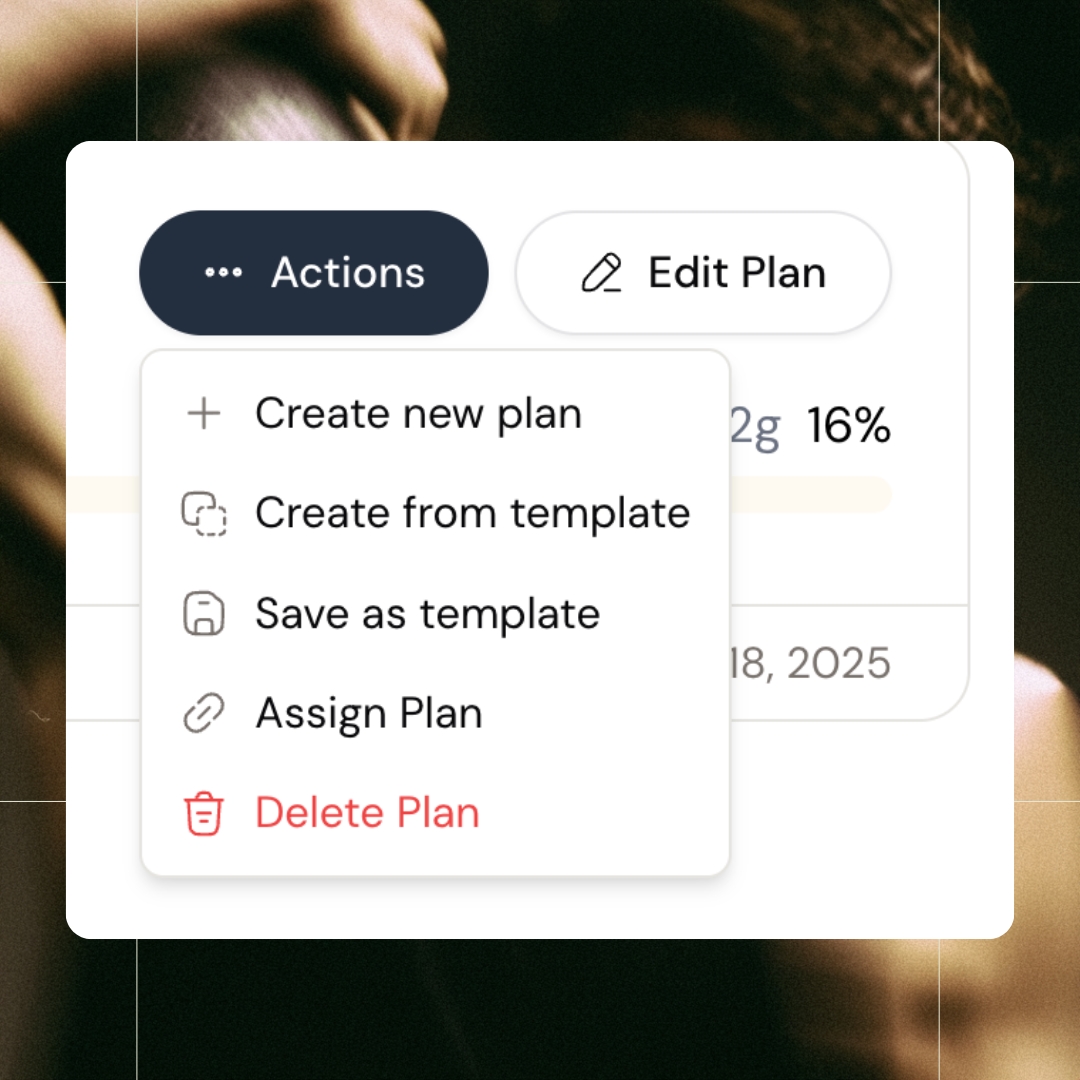
Gluten allergy. Lactose intolerant. Really hates tomatoes. And bread for lunch? Not their thing. You finally nailed their meal plan - now save it as a template. Next time a client shows up with their own ✨unique✨ set of preferences, pull it up, auto-flex to their calories, tweak what you need, and publish. No rebuilding from scratch. Unlimited meal plans per client, unlimited templates to pull from.
All features
See all featuresMeal planning has never been easier
Need to customize a meal plan? Drag recipes around. Swap breakfast with lunch. Move meals between days. No rebuilding. Just drag.
Want to use your own recipes?
Need a recipe we don't have? Build it yourself and save it to your library and use it for future clients.
Keep exploring
Explore more features
Client progress
Track workouts, milestones, and personal bests with clear dashboards that show improvement over time.

Meal planner
Create tailored nutrition plans that align with client goals, complete with smart suggestions and easy adjustments.
Check-ins & forms
Collect feedback, assess readiness, and stay connected with customizable forms and quick check-ins.
Questions, answered
How big is coachway's food database?
3,900+ ingredients and 1,100+ recipes, with macros calculated automatically as you assemble a plan. You can build from scratch, start from recipes, or adjust portions to hit a client's targets without doing the arithmetic yourself.
Can clients swap foods they dislike without breaking the plan?
Plans in coachway are living documents, not locked PDFs. You can adjust meals and portions anytime and the client's app updates instantly - so accommodating a hated ingredient or a new schedule takes minutes, not a rebuilt document.
Can clients in Norway and Denmark log local foods?
Yes. In Norway the client food log is connected to Matvaretabellen, the Norwegian food composition table, so Norwegian foods come up by their Norwegian names, alongside barcode scanning, photo logging and quick add. In Denmark the whole food log is in Danish, and clients scan barcodes or search Danish foods such as rugbrød or skyr.
I coach with flexible macros, not fixed meal plans. Is this still useful?
Yes - clients log their food in the same app and you see intake against their targets at check-in. Many coaches mix approaches: macro targets for experienced clients, full meal plans for beginners who want to be told exactly what to eat.
How do I create a meal plan template in Coachway?
Go to Nutrition > Mealplans and click + New Meal Plan. Set the title the client sees, the daily calorie target, recipes per meal and a macro split, either a preset like 30/40/30 or your own custom split. Toggle on the meals you want, give each a share of daily calories that adds up to 100%, and save. Coachway then suggests recipes that fit each meal, and you can swap or lock any of them.
How do I put a published meal plan back to draft in Coachway?
Open the client's profile, go to Nutrition, pick the plan in the dropdown if they have more than one, click Actions and choose Unassign Plan. The plan disappears from the client's app immediately but stays in your system as a Draft, so you can reassign it later. Delete Plan is different: it removes the plan permanently and cannot be undone.
How do I share a recipe collection with clients instead of a fixed meal plan?
Build a cookbook. Go to Library > Cookbooks, click Create Collections, add a title and description, then add sections and drop recipes in from the library, up to 200 per cookbook. In Details, choose Private, Public or Segmented (by tags, gender or specific clients) and click Publish. Clients browse it section by section and can log a recipe or add it to their meal plan.
Can clients make a shopping list from their meal plan in Coachway?
Yes. In the Food tab, the client taps the basket icon inside a recipe to add all its ingredients, or adds single items by hand. The list sorts itself by grocery category and stays between sessions. It is client-only: coaches cannot see, build or send it. Units are not converted, so ingredients appear exactly as written in the recipe, for example 2 pcs or 200 g.
Can clients calculate their own calorie and macro targets in the app?
Yes, if you allow it. Turn the calculator on or off per client under Client > Settings > Nutrition > Calorie calculator. The client opens Calculate My Needs in the Food section, completes four steps and reviews daily kcal, estimated expenditure and protein, carb and fat targets before tapping Save My Targets. It does not change their meal split, and it respects nutrition info you have hidden.
How do I see what my client logged and control how they track food?
Open the client and go to Development: the Nutrition card shows each week with days logged, average intake and every day against target, and Open full food log shows each item and how it was logged. Under Settings > Nutrition you set calorie and macro targets and pick a logging preset: Full access, Standard, Photo only or Plan only. Calories and macros can be hidden while logging stays on.
Articles & guides
all guidesFitness business coaches - what they all teach, what it costs, and when one is worth it
An industry of mentors is coaching the coaches - PT Domination, mastermind ladders, DM-to-cash frameworks - and search for an honest evaluation and you find the programs reviewing themselves. The independent map: the consensus playbook every program teaches under a different brand, the gated pricing pattern, the four points where the gurus flatly contradict each other, what you can learn free, and the honest cases where paying is right.
Read the guideWhat Clients Actually Say About Coaching Apps
Original analysis of 414 App Store reviews across ten coaching platforms: the seven failure modes that reach your client, and what to test before you commit.
Read the guideBest Payment & Billing Software for Personal Trainers
The best payment and billing software for personal trainers, compared on whether payments are included, where they work, and whose Stripe account gets paid.
Read the guideSee what Coachway can do for your coaching business
Coachway was built on knowledge from working with 150 online coaches over 6+ years, who all hit the same wall - slow platforms, clunky workflows, wasted hours. Start your 14-day free trial and see what we fixed - the whole platform, no charge today, cancel anytime under Billing.


Still reading? Start your own Coachway in minutes. Start in minutes.
Explore Coachway